How to Make Honest Mockups of Your T-Shirt Design
How to build a mockup that matches the real scale, placement and colors of your shirt, with a table to check each image before posting.
In short: Most t-shirt mockup tips come down to one rule. Show the design at its real scale and placement, on a garment color the buyer can actually order. Build it from the file you will print, check the size against a real shirt, and label the image as a preview. Anything flattering beyond that costs trust.
A t-shirt mockup is a picture of something that does not exist yet. That is its job, and also its risk. For a made-to-order shirt, the mockup is often the only picture a buyer sees before paying, so it carries the whole promise.
Honest here means one thing: the person who opens the package would recognize what they saw on the page. These t-shirt mockup tips cover scale, placement, color and finish, with a table you can run any image through before you post it.
What makes a t-shirt mockup honest?
Honest does not mean ugly, and it does not mean a flat photo with no styling. Mockups are idealized by nature, with clean light and smooth fabric. That is fine as long as the facts hold. Four facts matter most:
- Size. The design takes up the same share of the shirt in the picture as it will in life.
- Position. It sits where it will actually be printed.
- Color. The garment color shown is one the buyer can choose, and the art is shown on it fairly.
- Finish. The picture does not add effects the finished piece will not have.
Everything else is presentation. Break one of the four and the picture becomes a promise you cannot keep.
How do you get the size and placement right?
Most mockup templates make this easy to get wrong, because dragging a design bigger or smaller is effortless. Use a real shirt as your reference instead.
- Print the design at its actual size on paper.
- Hold it against a real shirt of any kind and note where it sits: how far below the collar, and how wide it is compared with the shirt.
- Copy those proportions into the mockup. The design’s width as a share of the shirt’s width is what the eye reads.
For example, say the paper print spans about half the shirt’s width, with its top edge a hand’s width below the collar. The mockup should show the same. If the template makes the design look closer to two thirds of the shirt, it is overselling the scale.
On HollaJack, you place the art on the garment in the designer. Build any outside mockup to match that placement, and redo it if you move the art. The become an artist page sets out how publishing there works.
Templates bring their own traps. A shirt cut longer or shorter than the real one shifts where the design appears to land, and heavy folds hide the true proportions. A flat, front-on shirt shows scale most clearly, and start with the design area, not the canvas explains why the print area should drive the layout.
How do you show color fairly?
Show the garment colors the buyer can really choose, not the one that flatters the art most. If your design looks best on black but you also offer navy, show navy too. A design can sink into a close dark, and the buyer deserves to see that before ordering.
Screens are not fabric: a monitor shines light, a shirt reflects it, and bright colors rarely look as luminous on cloth. A short note that colors may differ slightly on screen is honest. Boosting contrast or saturation in the mockup to hide the difference is not. Color choices that survive fabric, not just screens covers how to choose colors that hold.
What belongs in a mockup, and what does not?
Run each image through the table before you post it. The right-hand column is a quick test you can do in a minute.
| Element | Honest version | Misleading version | Quick check |
|---|---|---|---|
| Scale | Same share of the shirt as in life | Enlarged to look bolder | Compare with your paper test on a real shirt |
| Placement | Matches the position set in the designer | Moved to a more flattering spot | Check against the designer view |
| Garment color | A color the buyer can order | A color you do not offer | Match each image to the color options |
| Texture and finish | Flat art shown flat | Added cracking, glow or shine the print will not have | Ask whether the finished piece will show it |
| Fit and body | A flat shirt, or a note that fit varies | A body shot that implies a size or fit | Does the image say anything the page cannot back up? |
| Edition details | A number labeled as an example, or none | A number or “limited” label that implies more than is true | Remember buyers cannot choose a number |
The last row matters on HollaJack. Each order takes the next number in the run, and a buyer cannot choose one. A mockup that shows a specific number as if it were available can mislead, and a “limited” stamp on an open run is simply wrong. See timed, limited and open editions for the distinction.
When should real photos replace mockups?
Whenever you have one you may use. Real photos often come from buyers, so if someone shares a photo of their piece, ask permission before you post it and credit them if they want that. A photograph of a finished piece in daylight, on a plain background, is more convincing than any template and settles questions about scale at once.
Keep the mockup alongside it for the garment colors nobody has photographed, and label it as a preview. A caption such as “Preview image, made to order” is accurate for every HollaJack piece and costs nothing. Honest images also cut down the questions you get, which answering the questions buyers are too polite to ask explores from the buyer’s side.
Frequently asked questions
What is a t-shirt mockup?
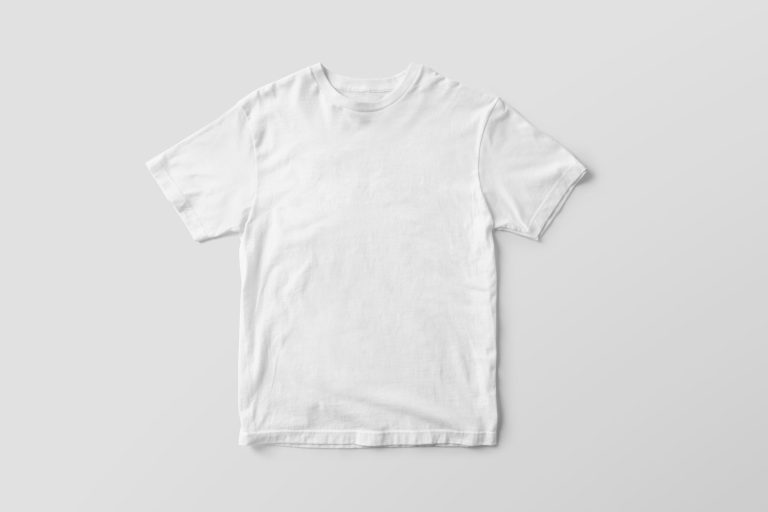
It is a digital preview that places your design on an image of a shirt. It shows the buyer roughly what the finished product will look like before it exists.
Do I need a model photo for a mockup?
No. A flat, front-on shirt is clearer about scale and placement. Body shots can make a design look larger or smaller than it really is.
Are free mockup templates safe to use?
Often, but read each template’s license for commercial use. Also check that the shirt shape and colors match what you actually sell.
How accurate should a t-shirt mockup be?
Size, placement and the available garment colors should match the real thing. Screens differ a little from fabric, and a short note saying so is honest.